The 15,000-search problem: AI research agents, explained
What AI research agents are, why Google, B2B databases and ChatGPT all break on account research at scale, the three products that do it today, and six rules for running one you can trust.
 Zevenue
When I was an SDR, we researched accounts on a timer.
Five to ten minutes a company. The same tabs every time: the website, LinkedIn, Crunchbase, the job board, the 10-K if there was one, recent news, whatever the leadership team had said lately. Close them all, then open the same tabs for the next company.
I’ve watched the tools for that job get better every year since. Zevenue has built this for lots of B2B companies - this is what I’d do if I had to turn on the research layer for a GTM team.
It isn’t only a sales problem. If you work in VC, procurement or recruiting, or as an analyst, you do some version of those tabs. You want to know many things at once about a thousand companies.
A library with no librarian
Account research is much harder than it looks, and every fix so far has broken in its own way. It’s easiest to see in order.
Google. This is what we did in 2019. It works for one company. Now say you want 15 answers about every company on your list, and the list has 1,000 companies. That’s 15,000 searches. Nobody runs that in a browser. Google is a library that hands you a stack of books and walks off. The reading is still yours.
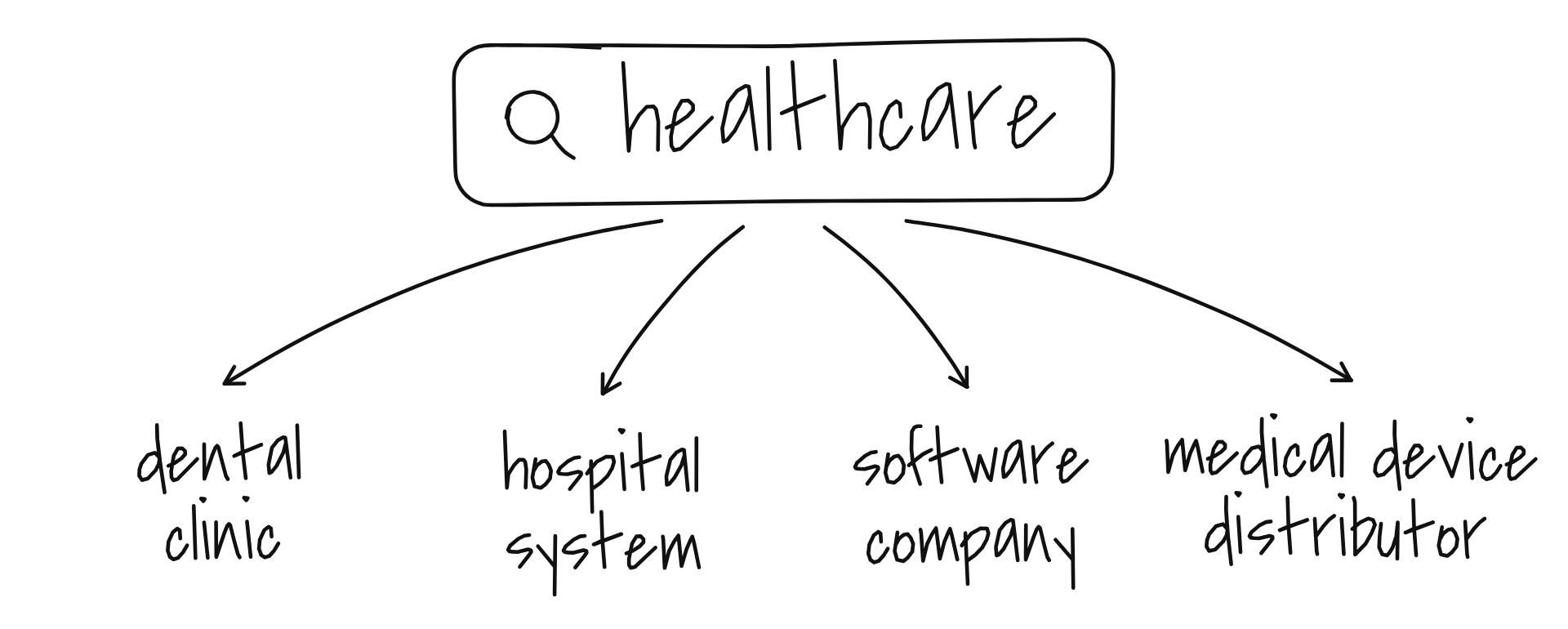
The B2B database. For a $99 subscription you could look up nearly any company in the world. Helpful, practical, accessible. But search inside a database is badly flawed, because it sorts companies by labels. Type “healthcare” into one and you’ll get a dental clinic, a hospital system, a software company and a medical device distributor. Four different buyers, one tag. (Ask me how I know.) That’s a card catalog: every book filed under one subject, whether it fits or not. Real research means reading what’s publicly known about a company, not squashing it into one tag so it’s easy to filter.
ChatGPT or Claude. A couple of years later, teams started asking a chatbot to do it. And at first it’s impressive. Give it ten companies, or go one at a time, and the results can be decent. At scale it falls apart. It’s still general web search, one query at a time through ranked pages. There’s no form, just a conversation. There are no stored links, so you can’t check an answer. And every session has a hard limit on how much it can do. A fine one-off. Not account research for a GTM team.
Four problems that follow you everywhere
Fix scale and four problems are still waiting, whatever tool you use.
The wrong Atlas. There are dozens of companies called Atlas. An accurate fact about the wrong Atlas is the most dangerous answer you can get, because it looks right.
Timing. Hiring, funding and leadership changes are time-bound. One of them with the wrong date is no longer any use to you. So the real question is rarely true or false. It’s whether this happened in a window that matters for what you’re doing.
Thin accounts. Researching Stripe is easy. Researching a construction company in Ohio is a different job, because there’s almost nothing about it online. For the teams we work with, most of the list looks like the Ohio company.
Overconfidence. Most of these tools find it very hard to say “I couldn’t find that.” A lot of false positives trace back to one design choice: the tool was never allowed to come back empty.
The librarian
A research agent takes one of your questions, plans many searches and opens the pages. Then, instead of handing back a list of links the way Google does, it reads everything it opened and pulls out the specific answer you asked for.
It’s the reference librarian. You hand over a request slip. They go to the stacks and come back with the answer, the page it came from, and, if it isn’t in the building, a straight “we don’t have that.”
What’s changed is precision and volume. Agents can search precisely, at a volume no person can match, which is why research by agent is turning into the obvious answer for a lot of jobs.
If you lead a GTM team, your reps are already doing a rough version of this in ChatGPT or Claude every day, one account at a time. The agent version does it for every account, faster and more reliably.
Our 17 questions
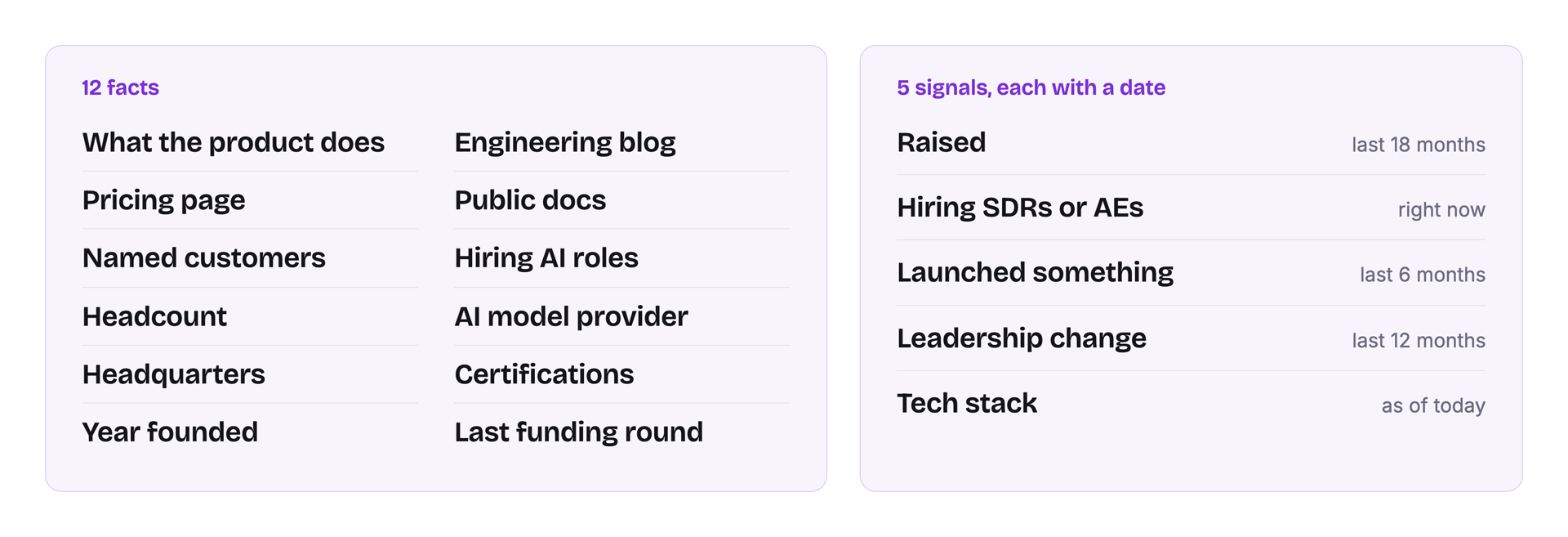
Here’s the case we run. Before we reach out to a company, we want to know 17 things about it.
Twelve are facts: what the product does, pricing, customers, headcount, and so on. They’re true or false.
Five are signals, and for signals timing is the whole point. Funding counts if it happened in the last 12 to 18 months. GTM hiring has to be an active job post right now; a post from 18 months ago means nothing to us. Recent launches, leadership changes and tech stack all have to be current. If we know the tool they used six months ago, they may have churned off it since. We don’t need that.
What you can buy
Three products do this well today.
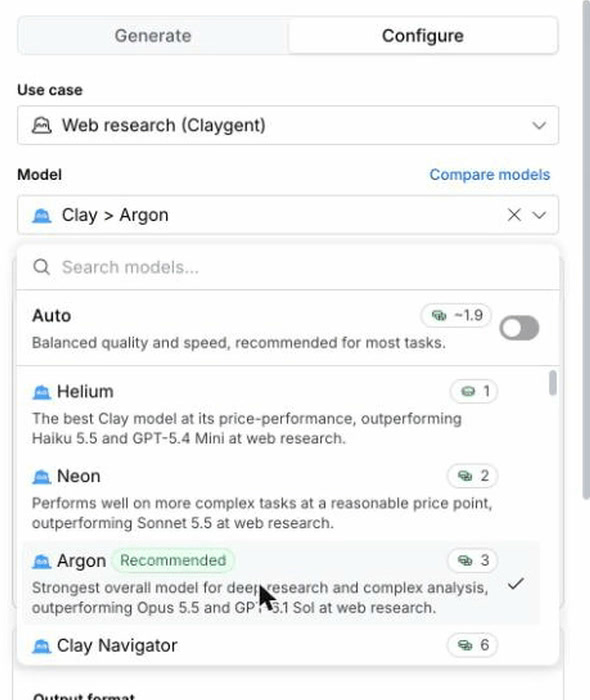
Claygent was the first time we went deep on research agents, back in 2023. Clay gave a B2B database access to web search, which made it far more useful. It’s easy to use: add a column, pick a model, and every account gets researched in the same table where you’re building the list. Clay now picks the model for you, based on how hard the search is.
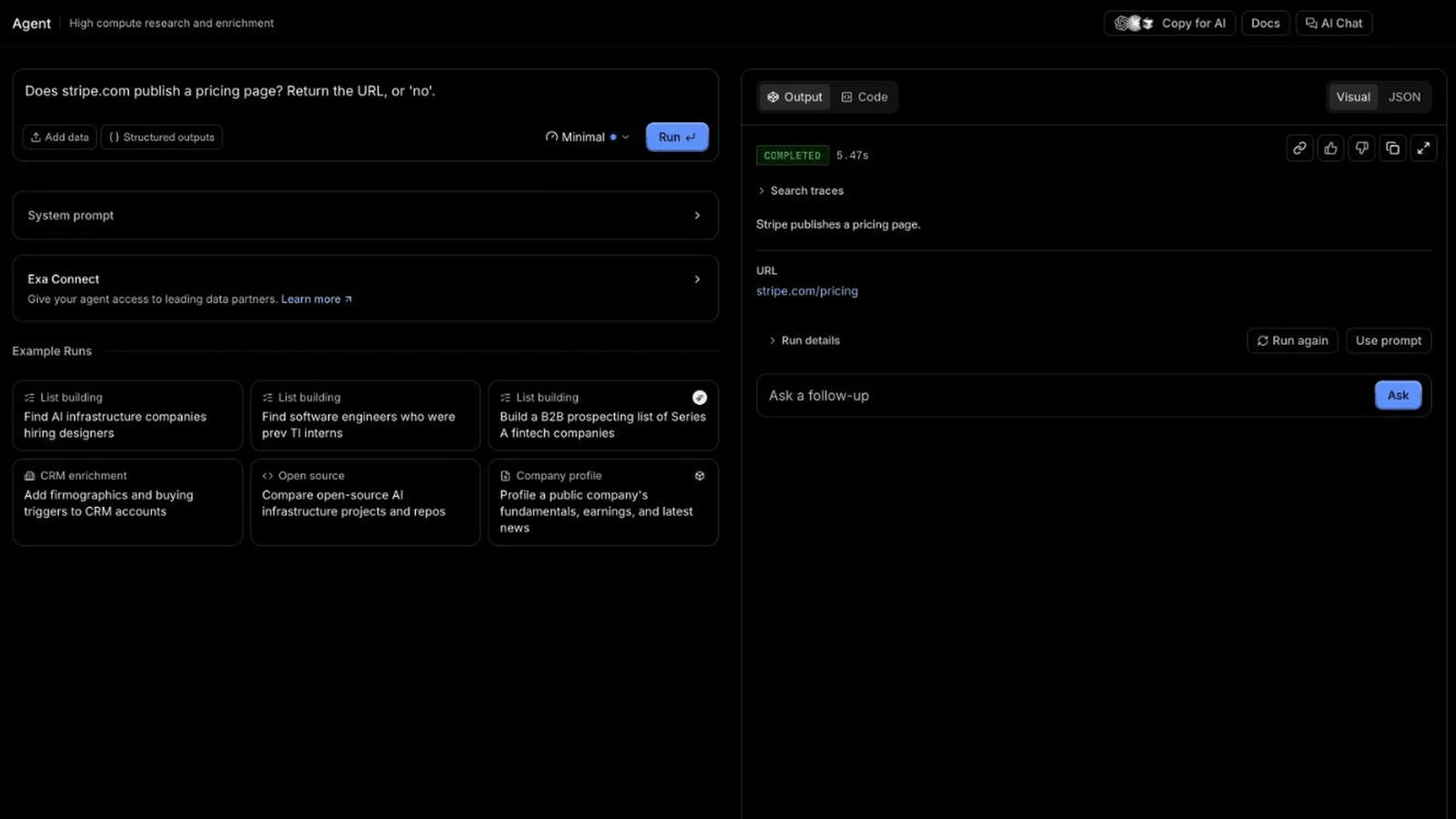
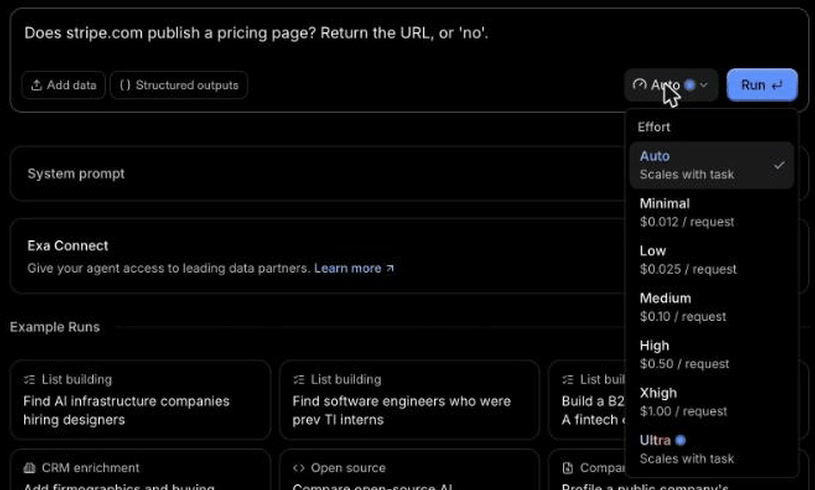
Exa and Parallel are web research infrastructure. On Exa you’d use Exa Agent. On Parallel, the Task API.
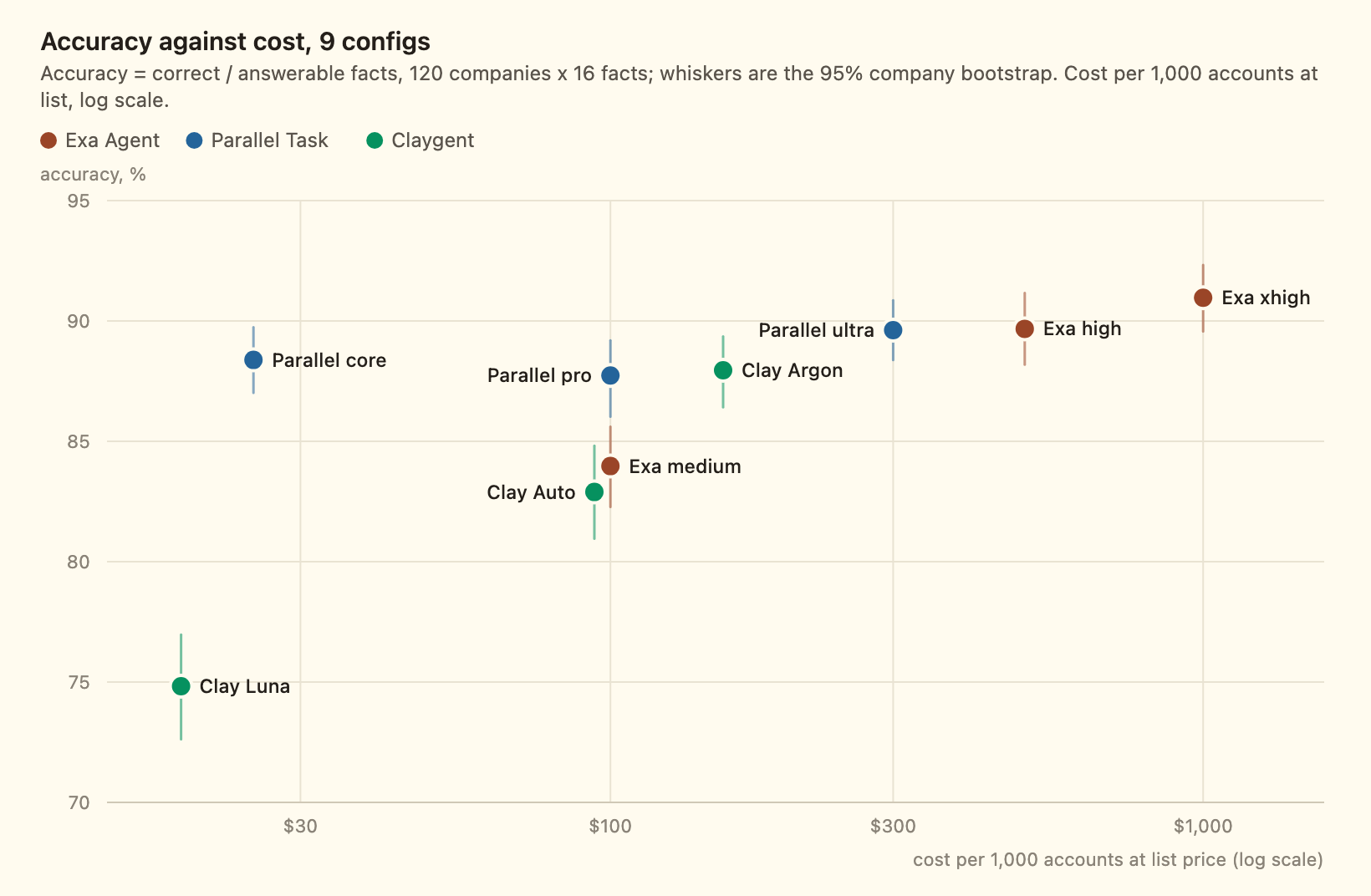
We ran all three, three settings each, on the same 120 companies in our research agent benchmark.
So how do you run one you can trust?
Six rules
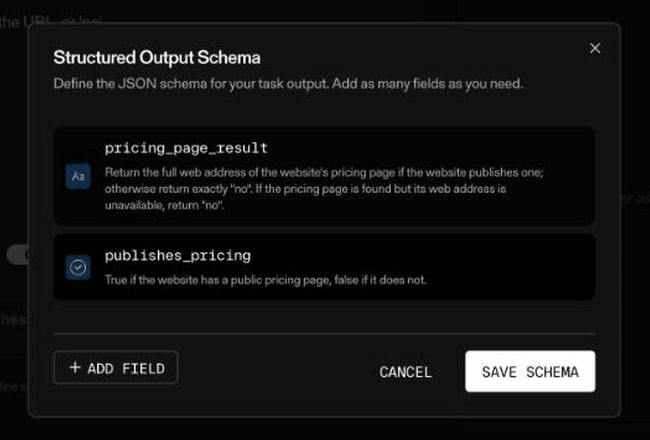
A form, not a prompt. Write down every field you want answered before the run starts. That one step is what takes you past the chat sessions most sellers run today.
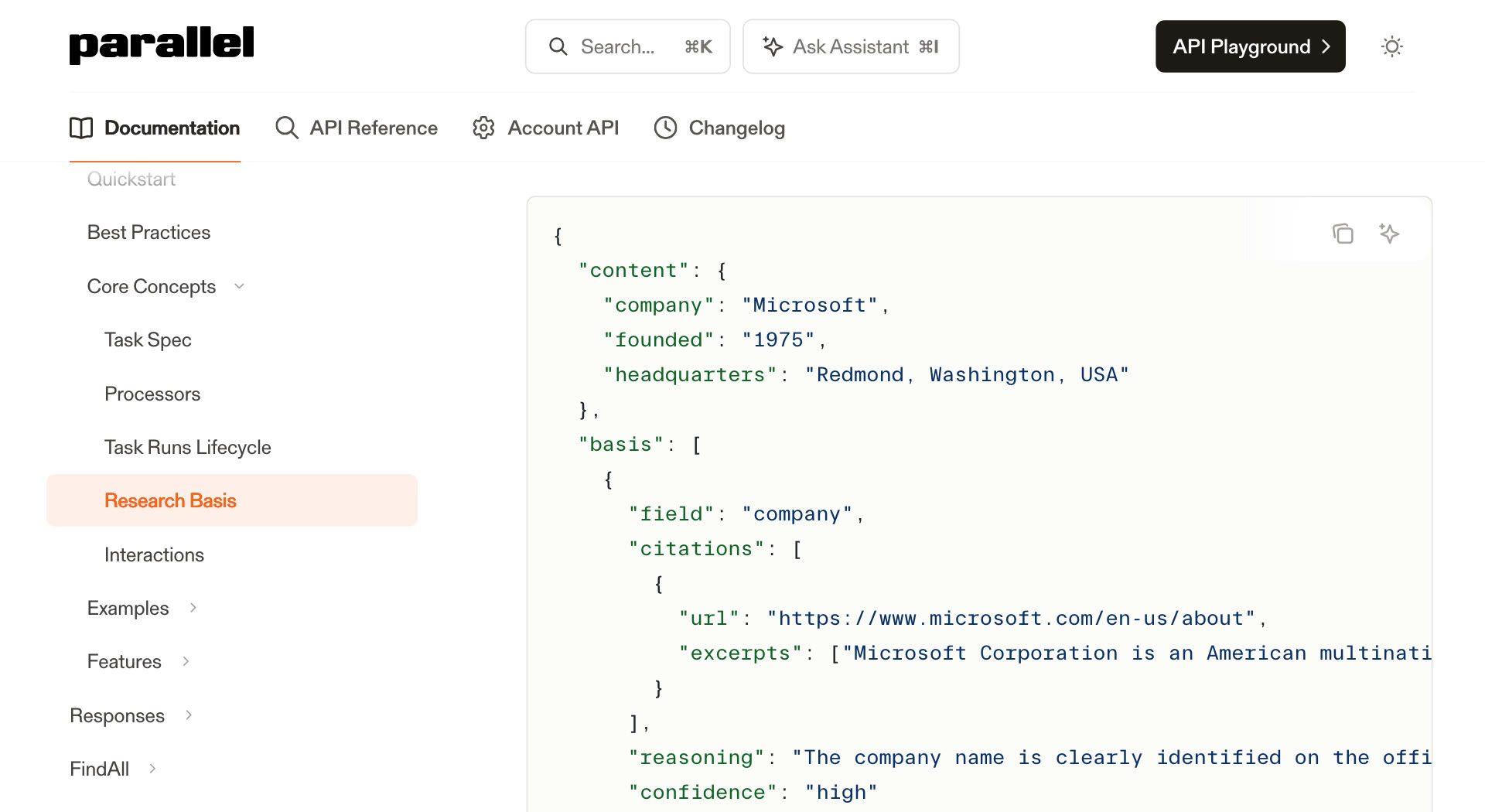
A link for every answer, stored. If the agent can’t point to a page for an answer, you can’t trust the answer.
“Unknown” is a legal answer. The agent has to be allowed to say it doesn’t know. A lot of research-agent problems come from that not being possible.
A date on every signal. If you only care about something from the last 90 days, set that as a gate before the run, not as a filter after.
Test your least-known companies first. Demos are easy on companies that are easy to research. Your ICP isn’t anyone else’s, so test on your own list, starting with the companies that are hardest to find anything about.
Count three things, not one. Don’t only ask which tool is most accurate. Ask how much it fills in, how much of what it fills in is correct, and what it costs. Every one of these tools lets you add a cost cap, so add one. Those three numbers are how we scored our research agent benchmark.
Look at the first three again. They’re the librarian: the request slip, the page number, and permission to say “we don’t have that.” The agent does the reading. You still have to design the desk it works at.
What’s left after the tabs
If your reps are still researching accounts by hand, or one at a time in ChatGPT, Codex or Claude Code, there’s a better way. Coding agents are already an improvement on searching a database. What makes yours much more reliable is a single API key.
I think about those tabs more than I expected to. The SDR job I had was mostly a reading job, and reading is now the cheap part. What hasn’t gotten cheaper is knowing which answers to believe. An agent that fills in every cell should worry you a little. The one I’d trust is the one that tells you where the stacks ran out.